
Every recipe you love, finally in one place.
Stop digging through chats, screenshots, and bookmarks for that one recipe. Snap it, say it, or paste the link — Vyum turns it into a clean, searchable recipe, then plans your week, your shopping list, and your cooking around it.
Built by a home cook, for home cooks.
Free to download, core features free forever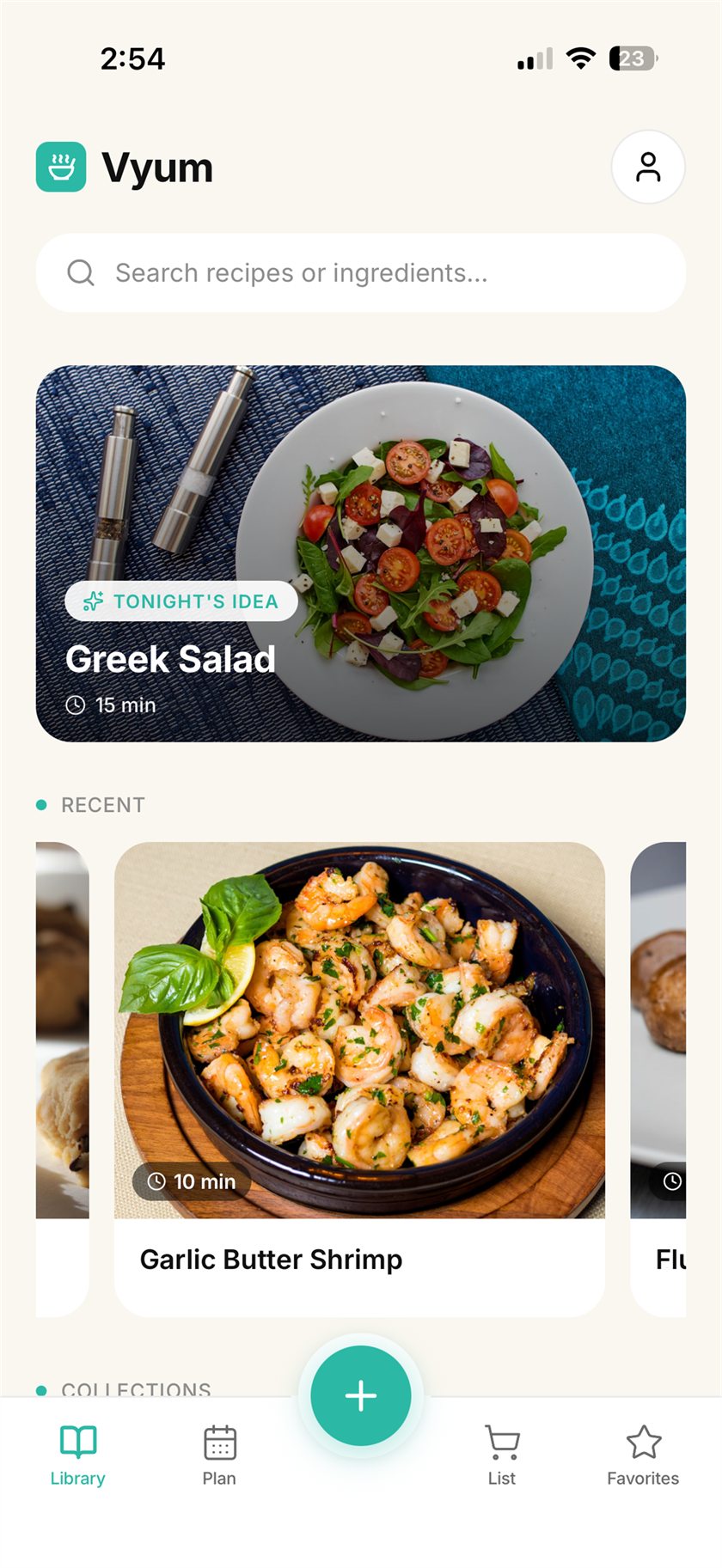
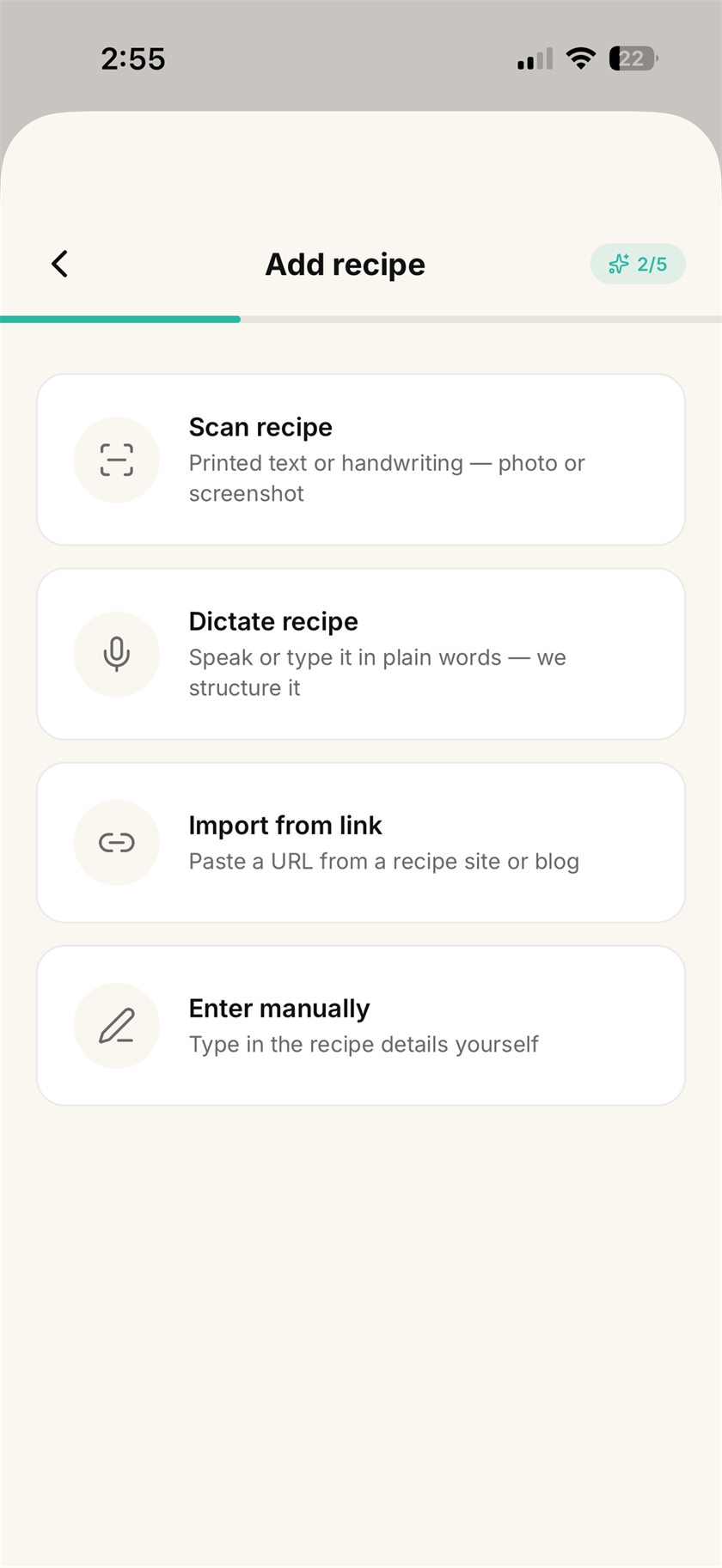
Snap or speak — Vyum does the typing.
A screenshot from a chat. A printed card. A link to a food blog. A quick dictation. Vyum reads it, pulls out every ingredient and step, and hands you a clean, structured recipe to review.
- Import from a photo, a link, or your voice
- Ingredients and steps detected automatically
- Review and tweak before it lands in your library
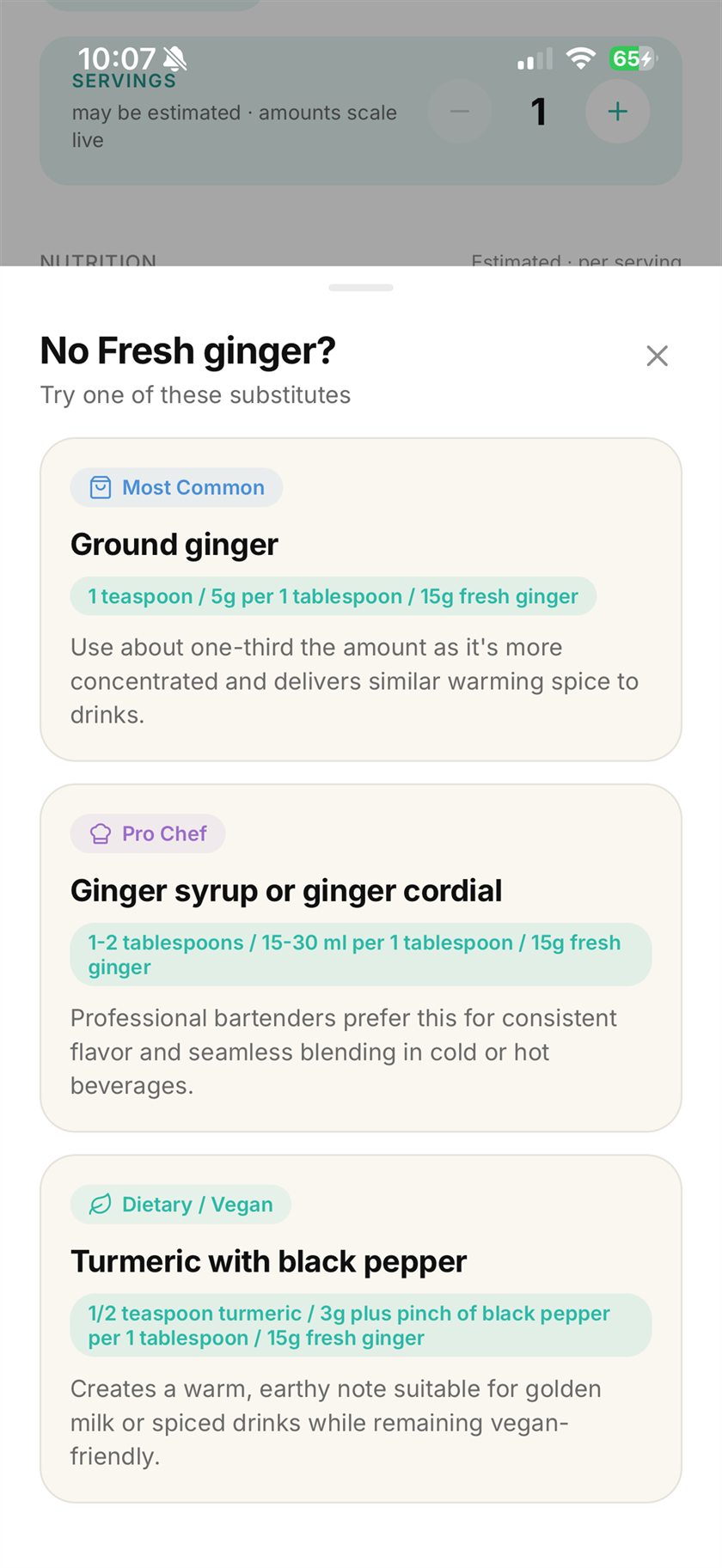
Out of an ingredient? Vyum has a swap.
Tap any ingredient and Vyum suggests a swap that fits — what's already in your pantry, a pro-chef upgrade, or a vegan and allergy-friendly stand-in. Quantities adjust so the recipe still works.
- Most-common, pro-chef, and dietary options
- Built for allergies and dietary restrictions
- Amounts re-balanced for the swap you pick
Messy notes in. A calm, structured library out.
Every recipe lands clean and consistent — times, servings, nutrition, and tags in the same place every time. Scale servings and watch every amount adjust live, in metric or imperial, in your language.
- Auto-sorted into collections you can search
- Live serving scaling — every quantity rescales at once
- Auto-translate & metric ⇄ imperial conversion
One app that runs your whole kitchen.
Saving the recipe is step one. Vyum also plans your week, writes your shopping list, and coaches you through the cooking.
Meal planner
Drop recipes onto your week or month, and get a reminder when it's time to start cooking.
Smart shopping list
One tap adds a recipe's ingredients — merged, scaled to your servings, and grouped by aisle.
Hands-free cooking mode
Full-screen steps with a built-in timer for every stage. Made for messy hands and busy stoves.
Cooks in your language
Found a recipe in another language? Vyum translates it into yours as it imports.
Metric ⇄ imperial
Cups to grams and back — every amount converts instantly, no math at the stove.
Nutrition at a glance
Calories and macros estimated automatically, so you always know what's on the plate.
From chaos to cooking in three steps.
No retyping, no reformatting. Vyum does the structuring so you can get to the stove.
Bring your recipe
Snap a photo or dictate it. Anything from a screenshot to a grandmother's card works.
Vyum structures it
Ingredients, steps, times, and nutrition are pulled out and laid out cleanly. You review, then save.
Cook hands-free
Scale servings, swap ingredients, and follow voice-guided steps with large, mess-proof controls.
Built around how you actually cook.
Most recipe apps are a nice place to type recipes into. Vyum reads what you already have — a screenshot, a photo, a link, your voice — so there is nothing to type.
No more retyping
Screenshots, photos, and dictation turn into clean, structured recipes. You review and tweak — Vyum does the typing.
Swaps that actually work
Out of an ingredient? Get a pantry, pro-chef, or allergy-friendly substitute — with the amounts rebalanced for you.
One calm library
Every recipe in one searchable place, in your language and units, with live serving scaling whenever you cook.
Free. The whole thing.
No subscription, no upgrade, nothing locked behind a paywall. AI included — with a daily allowance, so the app can keep paying for itself.
Everything you need to cook every day.
- Unlimited recipes, collections & favorites
- Meal planner with cooking reminders
- Smart shopping list
- Hands-free cooking mode with timers
- Serving scaling & unit conversion
- 5 AI actions every day
Why a daily limit on AI? Every scan, dictation, swap, and translation costs real money to run. Five a day keeps Vyum free for everyone — everything else is unlimited.
Or buy the chef a coffee
Vyum is free and staying free — but the servers have never once cooked dinner for anyone, and they still send a bill. If Vyum saved you a weeknight, you can drop a coffee in the jar.
Completely optional. Nothing unlocks, no badge, no secret menu — the app is identical either way. You’d just be quietly paying for a stranger’s ingredient swap.
Four promises, in plain words.
All four are true of the app as it ships today — not a roadmap, not an intention.
We never ask for a card
There is no subscription to start and no upgrade to buy, so there is no card field anywhere in the app. Nothing to cancel later.
Nothing here is training an AI
Your recipes get read, never learned from — the AI service we use does not train on what we send it. We don't sell your recipes, and there's no advertising business here that would want them. Exactly who touches what is spelled out in the privacy policy.
You approve every recipe
AI misreads handwriting sometimes. That's why nothing saves itself — Vyum shows you what it found and waits for you to fix it before the recipe joins your library.
You can leave with everything gone
Delete your account from inside the app and your recipes go with it. No email to support, no waiting period, no dark pattern on the way out.
Questions, answered.
Is Vyum really free?
Yes — all of it. There's no subscription and nothing to upgrade to. The library, meal planner, shopping list, cooking mode, serving scaling, and unit conversion are unlimited. AI actions — scans, dictations, swaps, translations — are capped at 5 a day, because each one costs real money to run. Hit the limit and the AI takes a break until tomorrow; the rest of the app keeps working.
If it's free, what's the catch? How does Vyum survive?
There isn't a catch, and that's the awkward part — Vyum currently costs its maker money rather than making any. The daily AI allowance is what keeps that bill small enough to absorb. There are no ads, your data is not for sale, and if Vyum ever needs to earn its keep it will be through something optional and clearly labelled, never by quietly taking away what you already have.
Can the AI get a recipe wrong?
Yes — faded print and looping handwriting trip it up, same as they would trip up a person. That's exactly why Vyum never saves anything on its own: it shows you the ingredients and steps it pulled out, you correct anything that's off, and only then does the recipe land in your library.
Do I need an account?
Yes, an email and a password. It's what keeps your library yours and lets it follow you to a new phone instead of vanishing with the old one. No social login, no phone number, no profile to fill in — and you can delete the whole account, recipes included, from inside the app.
What can the AI scanner actually read?
Screenshots from chats and social apps, photos of cookbook pages and printed cards, even handwritten family recipes. You can also just dictate a recipe out loud. Vyum pulls out the ingredients, steps, times, and servings — and you review everything before it's saved.
I have allergies — do the substitutions handle that?
Yes. Tap any ingredient and Vyum offers three kinds of swap: the most common stand-in, a pro-chef upgrade, and a dietary option for vegan, gluten-free, or allergy-friendly cooking — with quantities rebalanced so the recipe still works.
Which languages and units does Vyum support?
Recipes can come in any language — Vyum's AI translation brings them into yours on import. Every quantity converts between metric and imperial instantly, and new interface languages are on the way.
Where do my recipes live?
In your private account, synced securely to the cloud. Nobody sees them but you, and you can delete your account — recipes and all — right from the app.
Is Vyum on Android?
Vyum launches on iPhone first. Android is next on the roadmap — the app is already built to run on both.
Be there on day one.
Vyum is in the final stretch before the App Store. Leave your address and we will tell you the moment it is live — one email, then silence.